
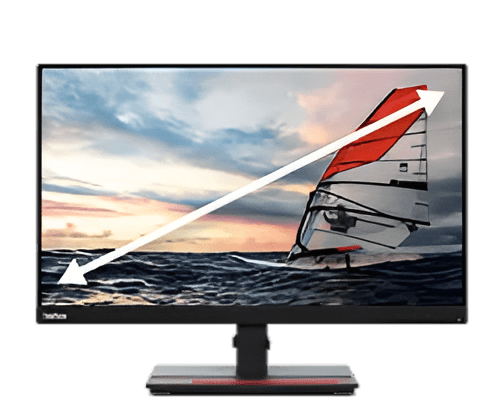
Your monitor does more than just display pictures. Modern desktop screens pack powerful image processing technology that transforms raw digital signals into stunning visuals. These features work behind the scenes every single second you stare at your screen. Most people buy monitors based on size and price alone. They miss out on crucial processing capabilities that define the actual viewing experience.
Professional designers need accurate colors. Gamers demand smooth motion. Office workers want comfortable viewing during long work hours. The right image processing features deliver all of this and more. Your eyes deserve better than mediocre picture quality.
Understanding these seven essential processing features helps you pick a monitor that truly performs. Let’s explore what separates exceptional displays from average ones.
1. Color Calibration Technology Brings Accuracy to Your Screen
Color calibration stands as the foundation of professional-grade image quality. This feature ensures that the colors you see match industry standards exactly. The best desktop monitor uses hardware-level calibration and internal lookup tables to maintain consistent, accurate colors across different brightness levels and over long periods of use. The manufacturer tests each unit and adjusts color output to match sRGB or Adobe RGB color spaces.
Why Color Accuracy Changes Everything
Photographers edit images that look different when printed because their monitors display incorrect colors. Graphic designers create logos that appear wrong on client screens. Video editors struggle with skin tones that seem off on final renders.
Delta E values measure color accuracy scientifically. Professional monitors achieve Delta E ratings below 2. The human eye cannot detect color differences at this level. Content creators trust that their work looks identical on any calibrated display.
2. Motion Processing Reduces Blur During Fast Action
Motion blur can ruin the experience of watching any sports or playing fast-paced games. Advanced motion processing tackles this challenge head-on.
Response time indicates how quickly pixels change from one color to another. Measured in milliseconds, this specification directly impacts motion clarity. Lower numbers mean sharper movement on screen.
Overdrive technology pushes pixels to change faster than their natural speed. The monitor applies a higher voltage temporarily to accelerate transitions. This reduces ghosting artifacts that trail behind moving objects.
Black frame insertion creates another solution for motion blur. The screen flashes black frames between regular frames. Your brain perceives smoother motion because the technique reduces persistence blur. Some viewers notice slight flickering with this method, though.
With the global computer monitor market expected to surpass $64.62 billion by 2034, display quality is becoming a key competitive differentiator.
3. HDR Processing Expands Dynamic Range for Realistic Images
High Dynamic Range processing revolutionizes how the best desktop monitors handle brightness and darkness simultaneously. Standard displays struggle to show detail in shadows while keeping highlights from blowing out.
HDR monitors process metadata embedded in compatible content. This data tells the screen exactly how bright or dark each part of the image should appear. The result shows details invisible on regular displays.
Local dimming zones control backlight intensity in different screen areas independently. Dark scenes get deeper blacks, while bright elements shine without washing out surrounding areas. More dimming zones create better contrast control.
4. Upscaling Algorithms Improve Lower Resolution Content
Not all content arrives in perfect 4K quality. Upscaling algorithms enhance lower-resolution material to match your monitor’s native resolution.
Nearest neighbor scaling copies pixels without smoothing. This creates a blocky appearance on detailed images. The image looks less sharp but more natural.
AI-based upscaling represents the cutting edge of this technology. Machine learning models analyze content patterns and predict missing details.
1080p content is generally produced by gaming consoles and streaming services. The material looks good on the 1440p or 4K screens due to excellent upscaling. Bad upscaling makes the images soft and muddy, thus wasting the potential of your display.
5. Uniformity Compensation Fixes Brightness Variations
Even expensive monitors show slight brightness differences across the screen. Uniformity compensation processing corrects these variations automatically.
The technology maps brightness levels at hundreds of points across the panel. Processing then adjusts each region to match target values. Corners and edges typically need the most correction since manufacturing tolerances affect these areas first.
Color uniformity matters equally. Some screen areas might show slight color temperature shifts. Compensation algorithms adjust RGB values regionally to create consistent color from edge to edge.
Professional work demands uniform displays. Photo editing requires an accurate assessment across the entire frame. Medical imaging depends on consistent brightness for proper diagnosis. Video production needs reliable color throughout the canvas.
6. Blue Light Filtering Protects Eye Health
Prolonged exposure to screens is harsh on the eyes and causes sleep disorders. The smart color processing technology is the one that does the trick in reducing the ill effects of blue light filtering.
Blue wavelengths between 380 and 500 nanometers cause the most problems. They suppress melatonin production and contribute to digital eye strain. Filtering reduces blue light output without destroying color accuracy entirely.
Hardware-based filtering adjusts backlight emission spectra. This approach maintains better color fidelity than software filters. The monitor reduces blue wavelengths at the source rather than applying yellow tints over the image.
Some monitors offer multiple preset levels:
- Minimal filtering for color-critical work.
- Medium reduction for general daytime use.
- Maximum filtering for late-night sessions.
- Custom settings for personal preferences.
7. Adaptive Brightness Matches Your Environment
Static brightness settings force your eyes to constantly adjust between the screen and the surroundings. Adaptive processing maintains comfortable viewing regardless of room lighting changes.
An ambient light sensor is going to measure the real-time brightness of their environment. The system processor goes through the data and thus adjusts the video output on the screen. Bright rooms get brighter displays. Dim environments receive lower brightness to prevent eye strain.
Content-aware brightness goes one step further. The system analyzes what appears on screen and adjusts based on image characteristics. Dark movie scenes trigger lower brightness. Bright documents increase output for better readability.
Power savings represent an unexpected benefit. Lower brightness in dark rooms reduces energy consumption significantly. Your electricity bill drops while viewing comfort improves. The feature pays for itself over the monitor’s lifetime.
Conclusion
Image processing features separate premium monitors from budget models. Each capability serves specific purposes and user types.
Content creators need color calibration and uniformity compensation above all else. Gamers prioritize motion processing and fast response times. Office workers benefit most from blue light filtering and adaptive brightness.
The best desktop monitor influences every digital interaction. Poor image processing creates frustration and limits productivity. Superior processing delivers comfort and accuracy that enhance your work and entertainment. These seven features define what modern displays should accomplish. Choose wisely, and your eyes will thank you for years to come.