

If your days are filled with tasks, meetings, and updates but progress still feels slower than it should, you’re not alone. Most project teams don’t struggle because they lack effort. They struggle because of small inefficiencies built into how work gets managed every day. A quick check-in here, a bit of confusion there, a task that lingers longer than expected. None of these feels like a major problem on its own, but together they quietly drain hours from your week.
Over time, that lost time adds up and starts affecting deadlines, output, and team energy. The good news is you don’t need a full system overhaul to fix this. You can save project hours by making a few small, practical changes to how work flows. These shortcuts are simple, but they target the exact places where time is most often lost.
Where Most Project Hours Get Lost
Before jumping into solutions, it helps to understand where time usually disappears in project management.
A lot of it comes from avoidable patterns:
- Work starts without clear priorities
- Too many tasks are handled at the same time
- Teams rely heavily on meetings for updates
- Progress is not visible without asking
- Timelines are too tight and break easily
None of these issues is dramatic, but they are constant. And because they happen every day, they end up costing far more time than occasional big problems.
The shortcuts below are designed to directly address these patterns.
Why Small Changes Help You Save Project Hours
Improving productivity doesn’t always require big changes. In many cases, large overhauls take time, add complexity, and disrupt how teams already work. Small, focused adjustments are often more effective because they are easier to apply and start delivering results immediately without slowing things down.
- Big solutions often add complexity: New tools or frameworks can take time to implement and may create more overhead before improving anything.
- Better prioritization improves focus: Clear priorities help teams spend less time deciding what to do and more time on meaningful work.
- Visualizing work reduces confusion: Seeing tasks clearly, such as through Kanban boards, helps teams understand progress without constant check-ins.
- Streamlined communication saves time: Reducing unnecessary back-and-forth keeps everyone aligned while protecting time for focused work.
- Consistent impact over time: Small changes improve everyday habits, which add up and help teams continuously save project hours.
5 Small Changes That Help You Save Project Hours
1. Visualize Work with Kanban Instead of Static Lists
Long task lists might seem organized, but they don’t show how work is actually progressing. You often need to dig through items or ask for updates just to understand what’s happening.
A Kanban board solves this by making work visible. Tasks move across columns like To Do, In Progress, and Done, giving you an instant overview of status and flow.
This visibility reduces the need for constant check-ins and helps teams quickly spot bottlenecks. Instead of guessing where things stand, everyone can see it clearly.
How to do it:
- Set up columns like To Do, In Progress, and Done
- Move tasks across columns as work progresses
- Review the board daily to spot blocked or slow-moving tasks
2. Set Clear Priorities Before Work Begins
One of the most overlooked time drains is deciding what to work on. When priorities are unclear, teams spend time reacting instead of executing.
Setting priorities ahead of time removes that friction. Whether it’s daily or at the start of a sprint, define what matters most and keep the list focused.
This ensures that time is spent on high-impact work rather than whatever feels urgent in the moment.
How to do it:
- Define your top 3 to 5 priorities before the day or sprint starts
- Align priorities with overall project goals
- Review and adjust priorities regularly as needed
3. Limit Work in Progress to Avoid Bottlenecks
It’s tempting to start multiple tasks at once, especially when everything feels urgent. But this usually slows everything down. When too many tasks are in progress, attention gets divided and work stalls. Limiting work in progress helps teams focus on finishing tasks before starting new ones.
This approach keeps workflows smoother and ensures steady progress instead of scattered effort.
How to do it:
- Set a clear limit on how many tasks can be “In Progress.”
- Encourage the team to finish current tasks before starting new ones
- Regularly review in-progress tasks and clear blockers quickly
4. Break Tasks Down into Clear Subtasks
Large tasks often look simple at first, but once work begins, they create confusion. People pause to figure out next steps, miss small details, or go back and fix things that were overlooked.
Breaking tasks into clear subtasks removes that friction. Each step is defined upfront, so there’s less thinking during execution and fewer chances of missing something important.
How to do it:
- Break each task into smaller, actionable steps
- Assign subtasks to the right team members
- Use subtasks as a checklist to track progress clearly
5. Plan with Time Buffers, Not Perfect Scenarios
No project goes exactly as planned. Unexpected tasks, delays, and dependencies are part of the process. When timelines are too tight, even small issues can create bigger delays. Adding buffer time helps absorb these disruptions and keeps work moving.
This makes schedules more realistic and reduces the need for constant adjustments.
How to do it:
- Add extra time to tasks with dependencies or uncertainty
- Avoid planning timelines at full capacity
- Review timelines regularly and adjust before issues escalate
How These Shortcuts Work Together
Each of these changes is useful on its own, but their real impact comes from how they reinforce each other.
Kanban boards make work visible, while work-in-progress limits keep that flow manageable. Clear priorities ensure the right tasks are being worked on, and breaking tasks into subtasks makes execution smoother and more predictable. Buffer planning then protects the entire system when unexpected issues arise.
Together, these shortcuts create a workflow that is not just faster, but more stable. Instead of constantly reacting to problems, your team can focus on steady execution and consistent progress, which is exactly how you save project hours over time.
Using TaskFord to Apply These Shortcuts in Practice
Applying these shortcuts consistently is much easier when your tools support how your team actually works. Unlike many project management apps, TaskFord is built to reduce friction across planning and execution, helping teams streamline workflows and consistently save project hours without adding complexity.
Prioritize Work with Table View
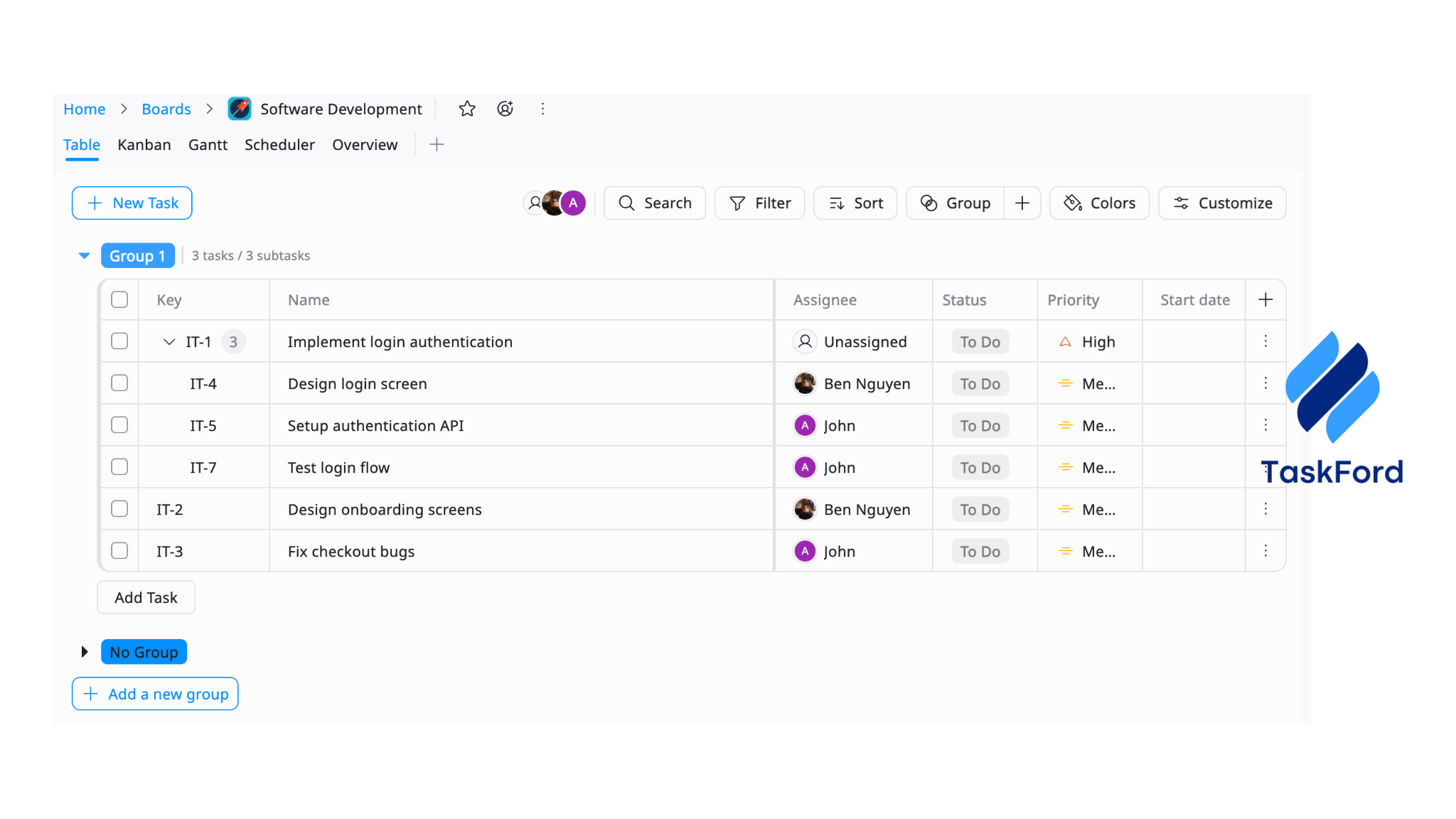
TaskFord’s Table View gives you a structured, spreadsheet-like overview of all tasks, making it easy to sort, filter, and organize work based on priority.
Instead of spending time figuring out what matters most, you can quickly identify high-impact tasks and assign them accordingly. This reduces decision-making time and ensures your team focuses on the right work from the start, helping you save project hours every day.
Plan Smarter with Scheduler View
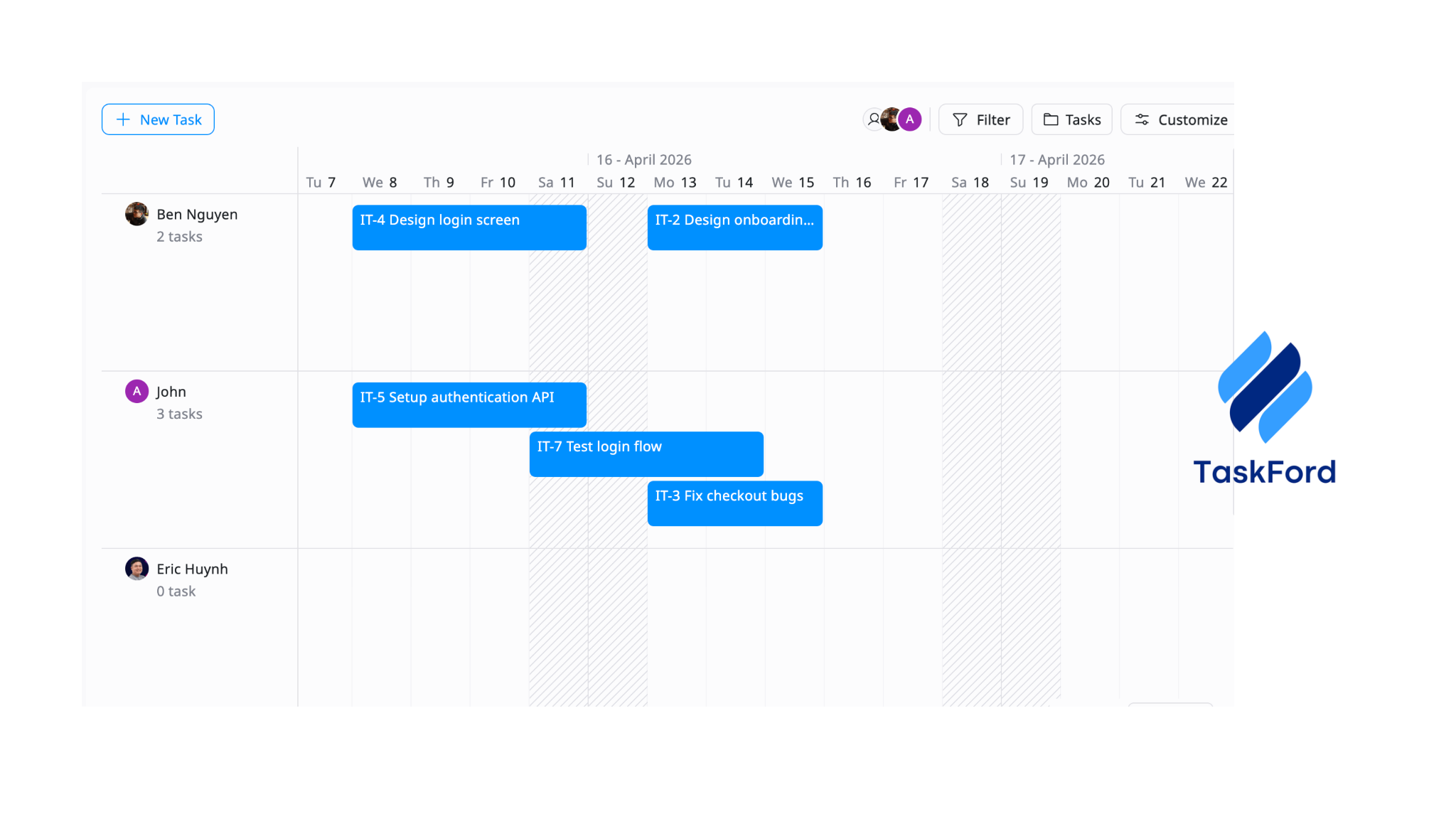
With the Scheduler View, you can map tasks directly to timelines in a clear, visual format.
This makes it easier to allocate time realistically, avoid overloading your team, and manage capacity more effectively, which is exactly what strong resource planning tools are designed to support. By reducing last-minute changes and constant rescheduling, teams spend less time fixing timelines and more time executing, which directly helps save project hours.
See Daily Work Clearly with Kanban
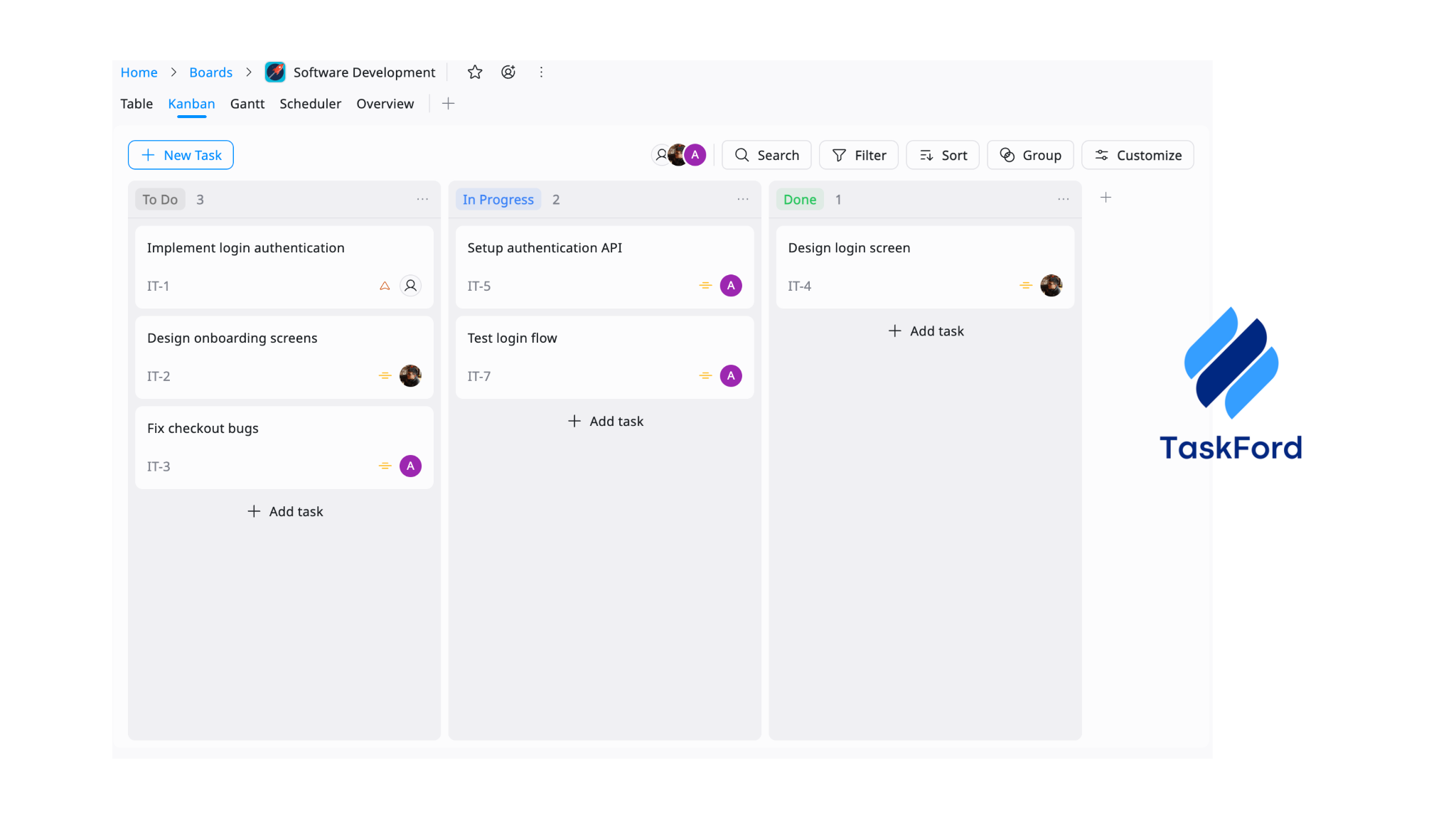
TaskFord’s Kanban boards provide a simple, visual way to track daily progress. Tasks move across stages, giving everyone instant visibility into what’s being worked on and what’s completed.
This reduces the need for status updates and helps teams stay aligned without extra communication. With fewer interruptions and clearer workflows, tasks move faster, allowing your team to consistently save project hours throughout the week.
Final Thoughts
Saving time in project management is not about working faster or adding more tools. It’s about removing the small obstacles that slow work down every day. By making work visible, setting clear priorities, limiting multitasking, reducing unnecessary meetings, and planning realistically, you create a system that naturally supports better execution.
These changes may seem small, but they compound quickly. Over time, they lead to smoother workflows, faster delivery, and a noticeable reduction in wasted effort. That’s how you truly save project hours, not through big changes, but through small improvements that make everyday work more efficient.