
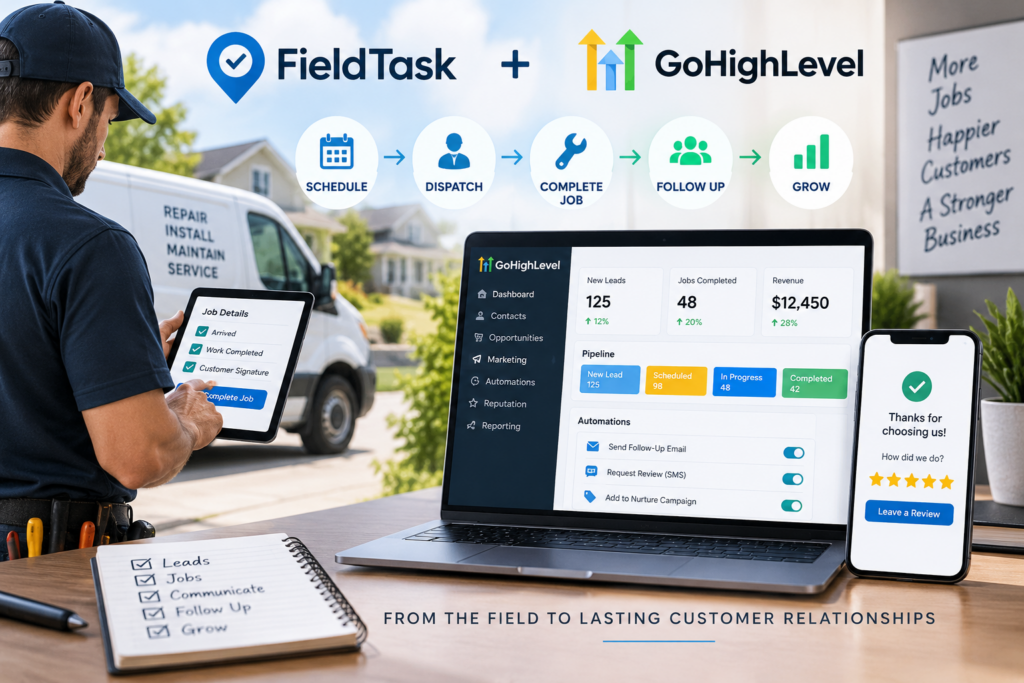
Every service business runs on a workflow, whether you planned one or not. A lead comes in, someone books it, a crew does the work, and a bill goes out. The question is whether that flow runs smoothly or breaks at every handoff.
Most workflows break because the tools don’t talk to each other. Marketing sits in one app, jobs in another, and payment in a third. Each gap is a place where a lead or a detail gets lost.
GoHighLevel and FieldTask fix that. Together they let you build one complete workflow, front to back, in a single system. This article walks through how to build it, stage by stage.
What a complete workflow looks like
A complete workflow covers the whole life of a job, not just the start. It runs in a loop, since a good service business turns one job into the next. Here are the stages:
- Attract and capture the lead.
- Respond fast and book the job.
- Dispatch the crew and assign the right tech.
- Do the work and keep the customer posted.
- Complete, collect payment, and record it.
- Follow up and bring the customer back.
Each stage hands off to the next. The real skill is making those handoffs happen on their own. Let us build it.
Stage 1: Attract and capture the lead
The workflow starts with marketing, and this is GoHighLevel’s home turf. Run your ads, funnels, and forms through GHL so every lead lands in one place. A “Book a Service” form on your site feeds the pipeline directly.
The moment a lead comes in, GHL logs it as a new opportunity. Nothing sits in an inbox waiting to be noticed. The workflow has its first entry.
GHL is best in category for marketing, so this stage runs strong right out of the box.
Stage 2: Respond fast and book the job
Speed wins the next stage. Build a GHL workflow that texts and emails the lead the second they arrive. A fast reply keeps them warm while you get to them.
Turn on missed-call text-back too, so a missed call still turns into a booking. Then let the customer pick a time on your calendar, which sends its own confirmation and reminder. The booked job moves forward in the pipeline on its own.
Two stages in, and no one has retyped a thing yet.
Stage 3: Dispatch the crew and assign the right tech
Now the workflow crosses from the office to the field. This is where FieldTask takes over. Here is the simple split. HighLevel does the CRM part, and FieldTask does the field management.
The handoff needs no setup. You don’t have to set up any manual integration. You just install FieldTask from the app marketplace, and it takes care of the rest.
FieldTask puts dispatch and scheduling on one board inside GHL. It uses proximity-based job assignment and is the only system that suggests the best techs for a job. Route planning and route optimization then order the day, so your technician drives less and does more.
Stage 4: Do the work and keep the customer posted
With the job assigned, the crew heads out, and the workflow keeps running. FieldTask sends an on my way text so the customer knows when the tradesman is close. That one message prevents most missed visits.
On site, a geofence logs when a field crew member arrives and leaves. The crew adds jobsite photos and work photos to the job as they go. The office sees progress in real time, with no phone calls.
The customer feels informed, and you have a clean record of the visit.
Stage 5: Complete, collect, and record
When the work is done, the workflow closes the job out. The photos and notes sync back into HighLevel, so everything sits with the customer record. Then you send the invoice and mark it paid when it clears.
The labor side records itself too. FieldTask works as a time clock app for HighLevel, so each team member’s hours are already logged. Timesheet and payroll calculation turn those hours into pay with no manual math.
One job, fully recorded, with nothing left in a separate app.
Stage 6: Follow up and bring the customer back
Here is the stage most businesses skip, and it is the one that pays. A complete workflow does not end at payment. It loops back to bring the customer in again.
GoHighLevel handles this automatically:
- A review request goes out the morning after the job.
- A thank-you and a check-in land a few weeks later.
- A seasonal or maintenance nudge returns months down the road.
That loop turns one job into a repeat customer. It is the difference between chasing new leads forever and building a base that comes back.
Why one connected workflow wins
Step back and look at what you built. A lead travels from an ad all the way to a repeat booking, without anyone stitching tools together.
That only works because both halves share one system. You probably know GHL is best in category for marketing, and with FieldTask it also gets enabled for home service in one unified system. With GHL and FieldTask, the workflows you can build run a long way.
That is what makes FieldTask the most integrated FSM app for HighLevel. As a home service management marketplace app for HighLevel, it removes the second system instead of adding one.
Build it in stages, not all at once
A word of advice before you dive in. Do not try to build all six stages in one sitting. You will burn out and ship a mess.
Start with the front end, since capture and booking win the most jobs fast. Get that running clean, then add dispatch and the field steps. Add the follow-up loop last, once the rest is steady.
Built this way, each stage proves itself before you move on. The workflow grows without breaking what already works.
Final thoughts
A service business does not need more tools. It needs one workflow that runs from the first click to the repeat call. GoHighLevel and FieldTask give you exactly that.
FieldTask is an FSM app built exclusively for GoHighLevel, so the field stages plug right into the office stages. The whole workflow lives in one place, and every handoff happens on its own.
Build it once, and your business stops running in a scramble. It starts running on a system.